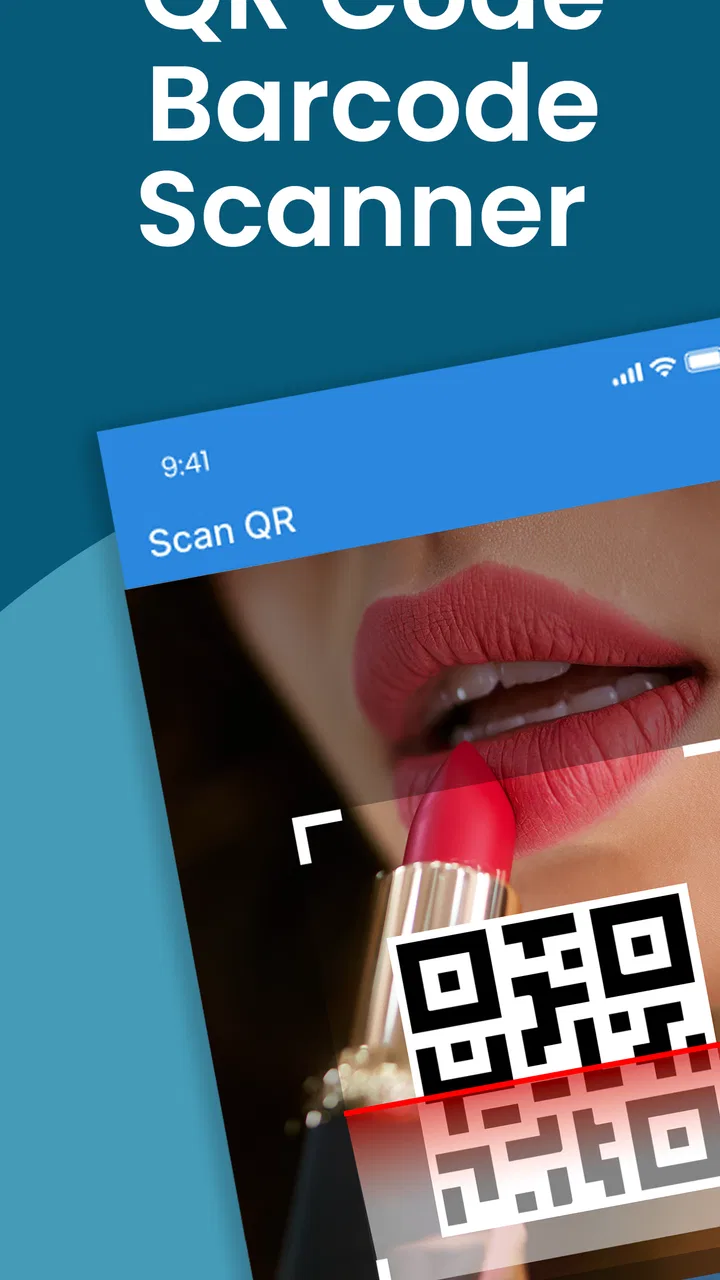
QR Code Reader: QR Code Maker
- 4.0
- Rating
- 1.00M
- Installs
- Free
- Price

 Analysis by App-foxy
I reach for a QR scanner when I need an answer immediately, not when I want to spend time learning another shopping tool. QR Code Reader: QR Code Maker takes that straightforward approach. It is a free shopping app from BestAppsHub, built for reading codes and creating them without turning the process into a complicated project. After using it, I found its main appeal easy to understand: it is a practical utility for occasional scans, quick sharing, and simple code-making tasks.
That simplicity is also the key to judging it fairly. This is not the sort of app I would choose for managing a large inventory, checking product authenticity, or replacing a retailer’s dedicated application. It is better suited to the everyday moments when a code appears on a menu, package, poster, receipt, event notice, or another screen and I want to open or interpret it quickly.
The app has earned a 4.3 average from around 5.7 thousand ratings and has passed 1 million installs, which suggests that its basic purpose is clear to a broad Android audience. It is free to install, rated for Everyone, and supports Android 7.0 and later. The current release is version 5.5, while optional in-app purchases range from $2.99 to $49.99 per item. Those details matter because the app is easy to try, but users who dislike optional purchases should still pay attention to what appears inside the application.
You May Also Like

 Pandora - Music & Podcasts
Pandora’s Music Is Easy to Start, but Harder to Recover
Pandora’s strength is its low-effort path from a seed to a station. Its weak spot is how much confidence it asks you to place in connection, setup, and quiet recovery.

 8 Ball Pool
 Is Built on Rivalries, Rematches, and Routine
A close look at the rivalries, rematches, shared routines, and unanswered safety questions that turn a quick pool match into a persistent mobile community.

 Samsung Music
’s Quiet Strength Is Playing What You Already Own
Its reach comes less from spectacle than from dependable access to a personal library. That simplicity is both the app’s strongest retention engine and its ceiling.

 AccuWeather: Weather Radar
AccuWeather Review: A Quick, Clear Forecast for Everyday Decisions
For everyday plans, the best forecast is the one you can understand quickly. AccuWeather makes rain timing, radar, and local conditions easy to act on, with a few trade-offs.

 Hill Climb Racing
Why Hill Climb Racing Still Turns Crashes Into One More Run
A tiny car, a bumpy hill and one more upgrade: Hill Climb Racing keeps resurfacing because its simple chaos makes every near-miss feel personal.

 AliExpress - Shopping App
AliExpress Makes Global Shopping Feel Personal, but Shoppers Bear the Risk
AliExpress turns a global marketplace into a pocket-sized discovery engine. Its reach is useful, its shopping loop compelling, and its trade-offs easy to miss.
More From Our News Desk
View All News


How it feels during quick scans and repeated use
In my experience, repeated scans are easiest when I treat each one as a separate check: let the camera settle, inspect the result, and only then move on. That small pause helps prevent a previous result from being confused with a new one, especially when codes are close together or lead to unfamiliar places. It also gives me a useful moment to decide whether a different scanning workflow would suit the task better.
Speed expectations in ordinary situations
For a QR reader, speed is less about impressive animation and more about how little attention the task demands. I want to open the scanner, point it at a code, and understand what happens next. QR Code Reader: QR Code Maker is designed around that expectation rather than around a crowded shopping dashboard. Its usefulness comes from reducing the distance between seeing a code and acting on it.
In a normal situation, a user will probably judge it by three small moments: how quickly the scanning view becomes usable, how readily it recognizes a code that is held in front of the camera, and whether the resulting action is understandable. Those are the right things to watch during your own first use. Lighting, distance, glare, and the quality of the printed code can affect any scanner, so a slow result is not automatically the app’s fault. A glossy package or a dim restaurant can make a simple scan feel more difficult than it really is.
I also appreciate that the app’s purpose is narrow enough to make it approachable. Someone who rarely scans codes does not need a long setup process or a lesson in barcode terminology. The store summary presents it as both a reader and a maker, and that combination is useful: I can consume a code from another person and create one when I need to share information myself.
There is an important distinction between perceived speed and actual usefulness. A scanner that opens quickly but leaves me uncertain about the result is not genuinely efficient. When testing it, I would look beyond the first successful read. I would check whether the destination or text is presented clearly, whether I can pause before following an unfamiliar result, and whether the app remains understandable when a code does not work immediately. Those small details decide whether an app feels dependable in public.
A realistic everyday workflow
Imagine receiving a printed notice with a QR code that contains an event page. I would open the reader, aim the camera at the square, and use the result to continue in the appropriate place. If the code is on another phone, I would increase the brightness of that screen and avoid tilting it sharply, since reflections can interfere with recognition. If it is on paper, I would flatten the page and move the phone gradually rather than waving it over the entire surface.
That workflow sounds obvious, but it highlights one of the app’s practical strengths: it can sit between the physical and digital parts of a task without requiring a separate shopping account or a specialized service. The app is useful when the code itself is the important thing and I do not want to install a retailer-specific tool just to read it.
For codes received in a chat or email, I would first check whether the application can work with the image available on the device in the way I need. If the code is displayed on the same phone, camera scanning can be awkward because the camera cannot point at its own screen. In that situation, a built-in system scanner or another tool with clear image-import support may be more convenient. This is one of the first trade-offs I would explain to a friend: the app is a sensible choice for physical codes and nearby screens, but the source of the code matters.
What happens during heavier use
Most people will not use a QR reader continuously, so “heavy use” here means a busy afternoon rather than hours of uninterrupted scanning. A shop worker, event volunteer, student, or household organizer might scan many different codes one after another. In that setting, the important questions are whether the camera view stays usable, whether the app makes it easy to move from one scan to the next, and whether mistakes are recoverable without restarting the entire process.
I would not treat a single successful scan as proof that the app is ideal for repeated work. For a batch of codes, I would test several formats and surfaces: a bright phone display, a slightly reflective label, a small printed code, and one held at an angle. I would also allow a moment between scans so that I do not accidentally act on the previous result. That habit is more valuable than rushing, especially if the codes lead to different pages or contain information that needs checking.
The maker side becomes more interesting during heavier use. Creating one code for a contact detail, note, product reference, or event instruction is simple in concept, but repeated creation demands careful review. I would verify the text before generating each image and give the finished code a test scan from another device. A code that looks correct can still carry a typing mistake. The app can help create the visual object, but it cannot protect me from entering the wrong destination or message.
This is also where the app’s limitations become more noticeable. A dedicated business platform may be better when I need naming conventions, organized records, campaign tracking, or a controlled workflow for many codes. QR Code Reader: QR Code Maker is more appropriate for making a code on demand than for running a structured code library. That is not a flaw in a simple utility; it is a boundary that prospective users should understand before relying on it for professional operations.
Reliability, failed reads, and recovery
Reliability is not only the number of codes an app recognizes. It is also how calmly it handles the ones that do not scan. In real life, codes are often damaged, partly covered, too small, printed with weak contrast, or surrounded by visual clutter. I would expect any reader to struggle in some of those cases, and I would judge this app by whether the next step is obvious rather than by expecting magic.
My preferred recovery routine is simple. I first clean the camera lens, improve the light without creating glare, hold the phone parallel to the code, and adjust the distance slowly. If the code is on a screen, I raise brightness and remove any reflection. If it is printed, I avoid bending the paper. These steps often solve what looks like an application problem. They also make it easier to separate a poor source from a genuine app issue.
If a scan still fails, I would close and reopen the scanning view before doing anything more drastic. A utility app should recover from a missed read without making me lose confidence in the whole process. I would also avoid repeatedly tapping the same control while the camera is still settling, since that can create confusion about whether a result is new or old. The best experience is deliberate: scan, inspect, then continue.
Security deserves attention here. A QR code can point to a website, and a recognizable square does not make its destination trustworthy. I would inspect the result before opening it, especially when the code comes from an unexpected poster, message, or package. The app’s role is to decode the content; my role is to decide whether that content deserves my trust. This is an important reason I prefer a reader that lets me see what it found rather than treating every scan as an instruction to follow blindly.
Recovery also matters after interruption. If I receive a call, switch to another app, or lock the phone while scanning, I would want to know whether returning leaves the camera ready or requires me to begin again. That behavior can vary with the device and operating system, so I would not promise a universal result. On older or heavily loaded phones, reopening the scanner may be the quickest solution. The app supports Android 7.0 and later, which gives it a broad compatibility range, but older hardware can still shape the experience.
Device constraints and resource expectations
Because this is a camera-based utility, the phone itself is part of the experience. Camera focus, lens condition, screen brightness, available light, and the physical size of the code all influence scanning. A newer phone may lock focus more confidently, while an older device may need a steadier hand and better lighting. That does not necessarily make the app unsuitable, but it changes how patient I need to be.
The Android requirement is friendly to users who keep an older handset. At the same time, broad operating-system support should not be confused with identical performance on every device. A phone running an older Android release may take longer to open the camera or return from another application. If I were installing it on a spare or budget phone, I would test it with the exact codes I expect to scan rather than assuming that a successful result on a newer device guarantees the same feel.
Resource demands are most noticeable when the camera is active. I would avoid leaving the scanner open in my pocket or on a table, both to conserve battery and to prevent accidental activity. For occasional scans, that should be a manageable habit. During a long event or a busy work session, I would keep the phone charged and close the scanner between tasks. The app’s value is convenience, but convenience should not encourage careless battery use.
Storage and maintenance are also worth considering. A free app is easy to try, yet I would still review its current behavior after updates and remove it if it no longer fits my routine. Version 5.5 indicates that it has an established release history rather than being a brand-new experiment, but version numbers alone do not tell me how it behaves on every handset. I would keep expectations practical: install it, test a few representative codes, and decide based on whether it remains comfortable on my phone.
The maker tool: useful for sharing, not a substitute for planning
The code-making feature gives the app more value than a reader alone. I can imagine using it to share a short instruction, a location detail, a contact-related piece of information, or a link that I have checked carefully. It is handy when I need a scannable handoff between people who are standing together, especially when typing the same information on several phones would be tedious.
The best workflow is to prepare the content outside the final scan moment. I would write the text, check spelling and punctuation, confirm that any destination is correct, generate the code, and then scan the result with a second device. If I plan to print it, I would test the printed copy as well, because resizing and print quality can change how easily it is recognized. This two-stage check is a concrete advantage in practice: it catches errors before the code reaches a poster, label, or handout.
I would be cautious about using a generated code for information that changes frequently unless I have a reliable way to update the destination behind it. A static code can continue circulating after the information becomes outdated. For a temporary household note or one-time handoff, that may be fine. For menus, schedules, stock information, or changing instructions, a more specialized service with ongoing management may be a better fit.
Another trade-off is presentation. The app can make the code, but the surrounding design still belongs to me. I would leave enough clear space around the square, avoid shrinking it until the pattern becomes difficult to read, and keep strong contrast. A beautiful poster with a tiny or crowded code is less useful than a plain sheet with a readable one. That is the kind of practical decision a store description will not make for the user.
Who should use it, and who should skip it
I would recommend this app to Android users who want a focused way to read everyday QR codes and occasionally create one. It fits students sharing a resource, families exchanging a simple piece of information, travelers opening printed instructions, and shoppers who encounter codes on packaging or displays. The Everyone rating also makes it approachable for a wide range of users, although younger users should still be taught not to open unknown destinations automatically.
I would be more selective for people who already rely on a phone’s built-in camera scanner and are happy with it. If the native camera recognizes codes reliably and provides the result in the way I prefer, adding another app may not improve anything. The same applies to users who need advanced code management, detailed business reporting, batch organization, or a formal verification system. In those cases, a dedicated professional solution is likely to justify its extra complexity.
The optional purchase model is another personal decision. Since the app is free to install but includes in-app purchase items, I would use the free experience first and pay only if the available upgrade clearly solves a problem I actually have. I would not install it assuming that every convenience is included without checking the purchase screen. For a person who scans only once in a while, the free entry point is attractive; for someone managing codes every day, the value depends on what the paid options provide in practice.
My performance verdict after weighing the trade-offs
QR Code Reader: QR Code Maker succeeds when I treat it as a lightweight, on-demand tool rather than a complete QR management system. Its strongest qualities are its clear purpose, broad Android compatibility, combination of reading and making, and low barrier to trying it. The large install base and 4.3 average suggest that many users find that basic job worthwhile, though popularity should not replace testing it on the phone and codes that matter to me.
My main reservation is not a dramatic failure; it is the possibility of expecting more structure than the app is meant to provide. Repeated professional scanning, image-based workflows on the same phone, changing destinations, and organized code libraries may call for a different category of tool. Environmental conditions can also make any scanner feel inconsistent, so I would improve lighting and alignment before blaming the application.
For my own recommendation, I would say this: install it if you want a straightforward reader with a useful maker side, especially when your QR tasks are occasional and varied. Test it with a physical code, a code on another screen, and one code you create yourself. If those three situations feel comfortable and the purchase prompts do not bother you, it is a sensible free addition to an Android phone. If your priority is advanced organization or guaranteed business-grade workflows, I would skip it in favor of a more specialized alternative.
The practical bottom line is simple: this app is best when speed means fewer steps, reliability means easy recovery, and the job is to handle one QR code at a time. I would keep it in that lane. Used that way, it offers useful everyday convenience without pretending to be something larger than a focused shopping utility from BestAppsHub.
FAQs for QR Code Reader: QR Code Maker
01What features does the QR Code Reader: QR Code Maker offer?
The QR Code Reader: QR Code Maker provides a comprehensive set of features, including fast QR code scanning, the ability to generate custom QR codes, and compatibility with various formats like URLs, text, and contact information. Additionally, it supports both front and back cameras and offers a history log for easy access to past scans.
02Is the QR Code Reader: QR Code Maker app free to use?
Yes, the QR Code Reader: QR Code Maker app is free to download and use. However, it may offer in-app purchases or ads to access premium features like ad-free usage, batch scanning, or advanced customization options for QR code generation.
03How secure is the QR Code Reader: QR Code Maker?
The app is designed with user privacy and security in mind. It does not store personal data unless you choose to save scan results. Additionally, it includes features to detect malicious links, helping users avoid potential security threats when scanning unknown QR codes.
04What are the system requirements for the QR Code Reader: QR Code Maker app?
The QR Code Reader: QR Code Maker app requires Android version 5.0 and up or iOS 11.0 or later. It is optimized for both smartphones and tablets, ensuring a seamless user experience across devices. Users should ensure their device meets these requirements for optimal performance.
05Can the QR Code Reader: QR Code Maker scan barcodes as well?
Yes, in addition to QR codes, the QR Code Reader: QR Code Maker can scan various types of barcodes, such as UPC, EAN, and ISBN. This feature enhances its utility, making it a versatile tool for both personal and professional use, including inventory management and product price checks.
Pros
- Fast scanning with high accuracy.
- Supports multiple QR code formats.
- User-friendly interface design.
- Offline functionality available.
- Free to use with optional upgrades.
Cons
- Contains in-app advertisements.
- Limited customization for QR design.
- Occasional lag on older devices.
- Does not support batch scanning.
- Requires camera permissions to function.

QR Code Reader: QR Code Maker
Gallery